How to Register
Step-by-step guide for Stall Booking & Attendee Registration — BIG LEAP 2026
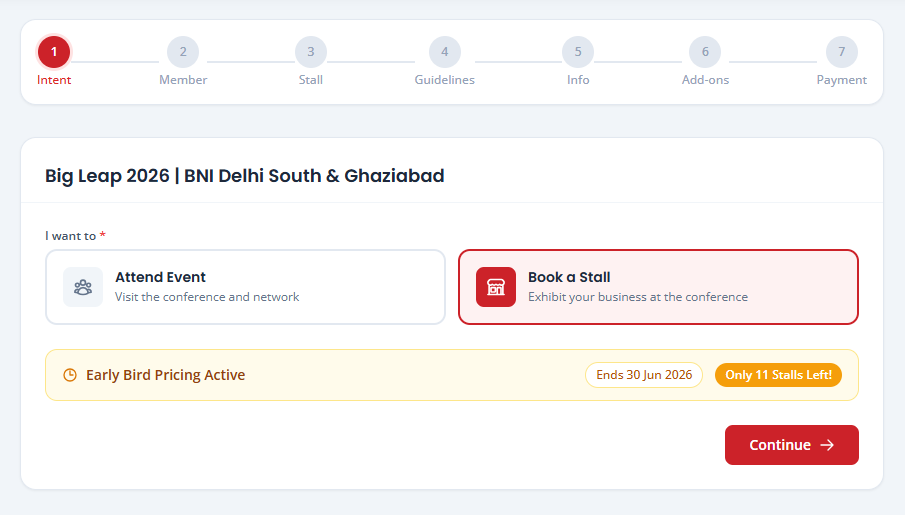
Choose Registration Type
Open the registration link. Select Book a Stall — "Exhibit your business at the conference" — then click Continue.
Select Member Type
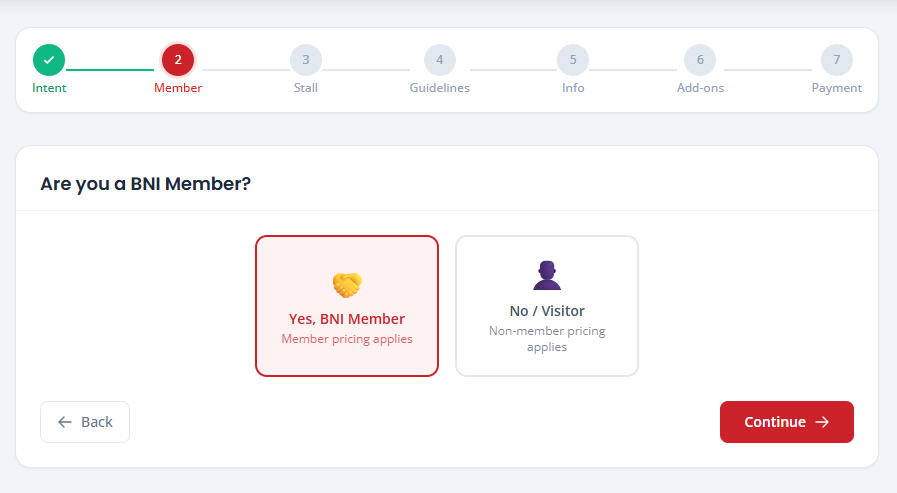
Indicate whether you are a BNI Member or a Non-Member / Visitor.
- Yes, BNI Member — Member pricing applies (lower rates)
- No / Visitor — Non-member pricing applies
Select Your Stall on the Map
An interactive exhibition hall map will appear. Hover over any stall to see its number, size, and price. Click to select.
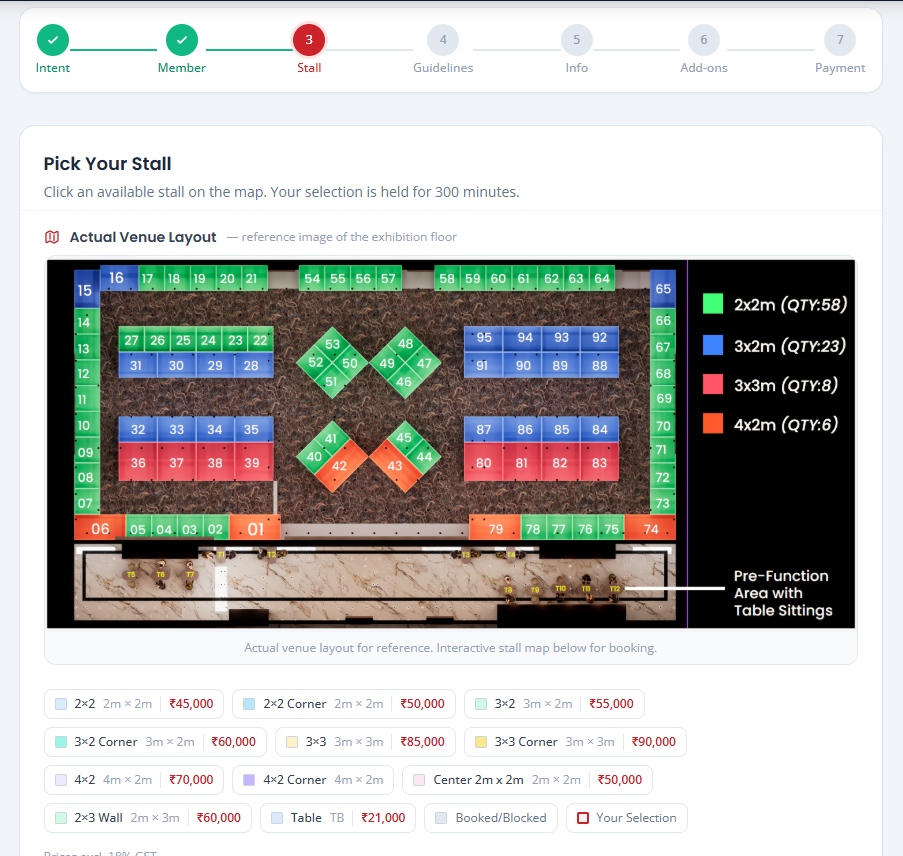
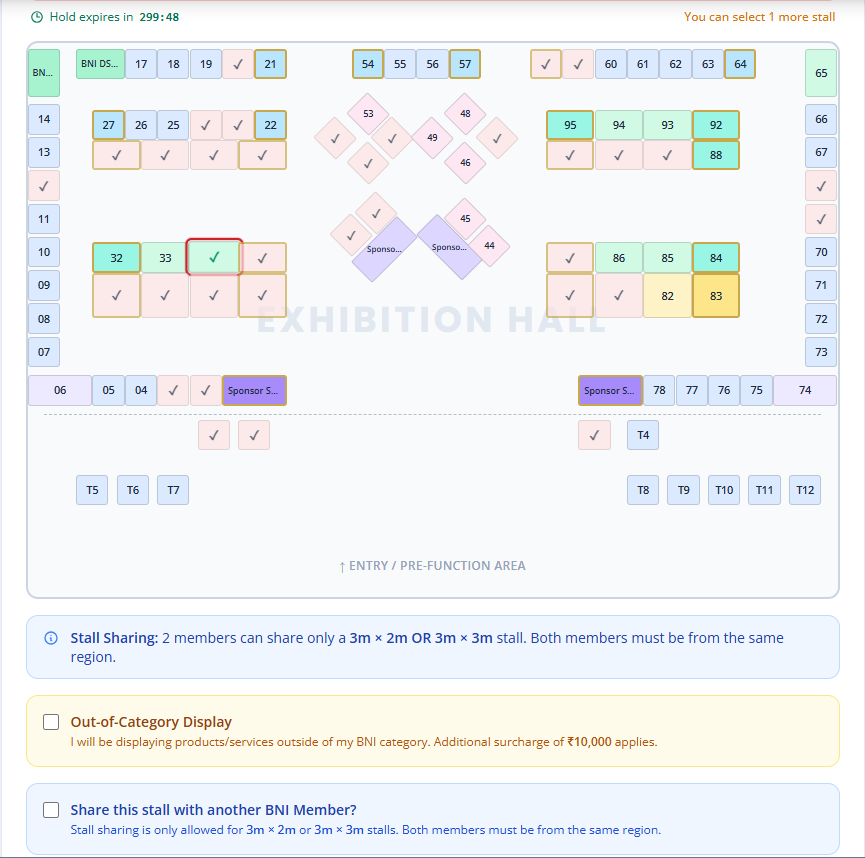
Once selected, a 15-minute hold timer starts — complete your registration before it expires. You can select up to 2 stalls of the same type.
- Out-of-Category Display — Check if you will display products outside your BNI category. Additional surcharge of ₹10,000 applies.
- Stall Sharing — Allowed only for 3m×2m or 3m×3m stalls. Both members must be from the same region.
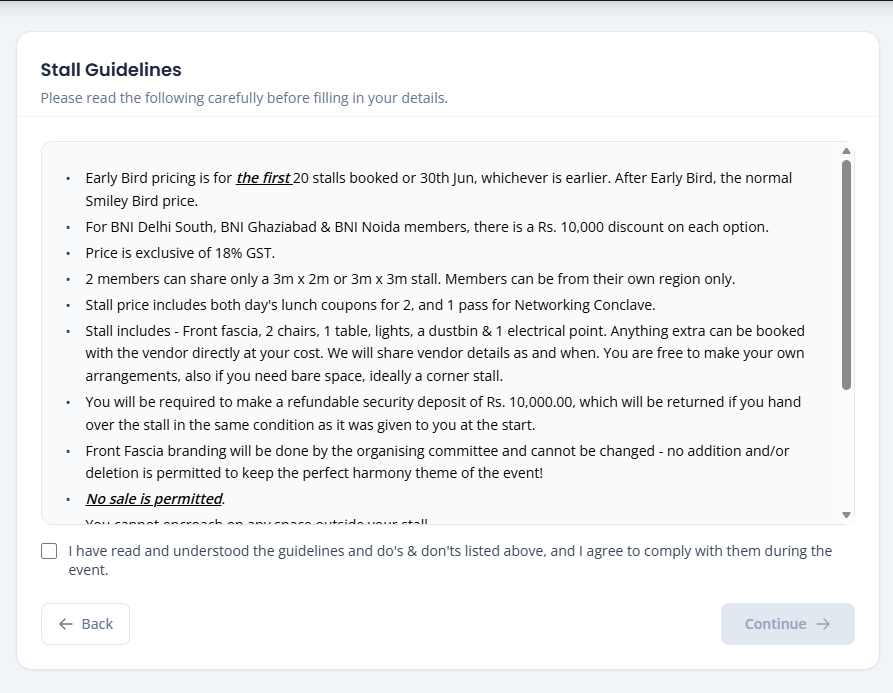
Read & Accept Guidelines
Read the stall booking guidelines carefully, then tick the checkbox at the bottom to confirm you have read and agree. Click Continue.
- Stall includes: Front fascia, 2 chairs, 1 table, lights, dustbin & 1 electrical point
- A refundable security deposit of ₹10,000 is required
- No sale is permitted inside the stall
- Front Fascia branding is done by the organising committee — no changes allowed
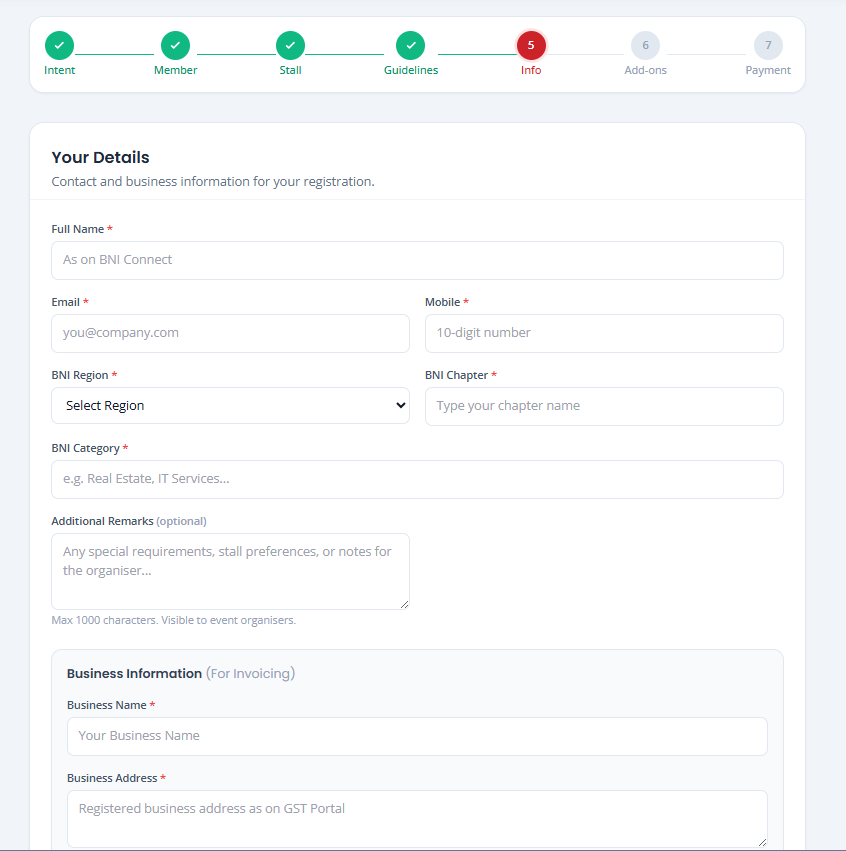
Fill Your Details
Complete your contact and business information. All fields marked with * are required.
- Full Name (as on BNI Connect)
- Email Address & Mobile Number
- BNI Region & Chapter
- BNI Category (e.g. Real Estate, IT Services)
- Business Name & Address (for GST invoice)
- GST Number (optional but recommended)
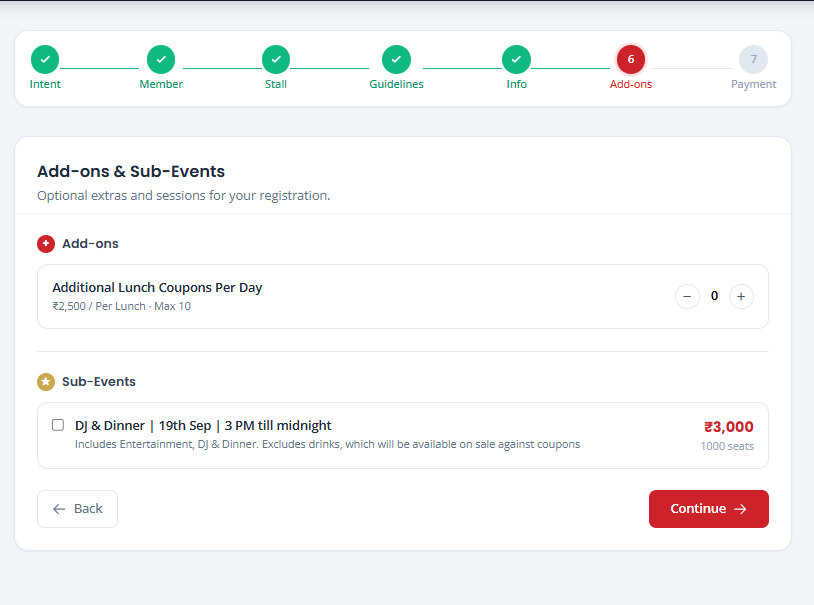
Add-ons & Sub-Events
Choose optional extras for your registration.
- Additional Lunch Coupons — ₹2,500 per lunch per day (max 10). Your stall already includes 2 lunches per day.
- DJ & Dinner | 19th Sep | 3 PM till midnight — ₹3,000. Includes Entertainment, DJ & Dinner. Drinks available against coupons.
Review & Payment
Review your complete order summary, then make the payment.
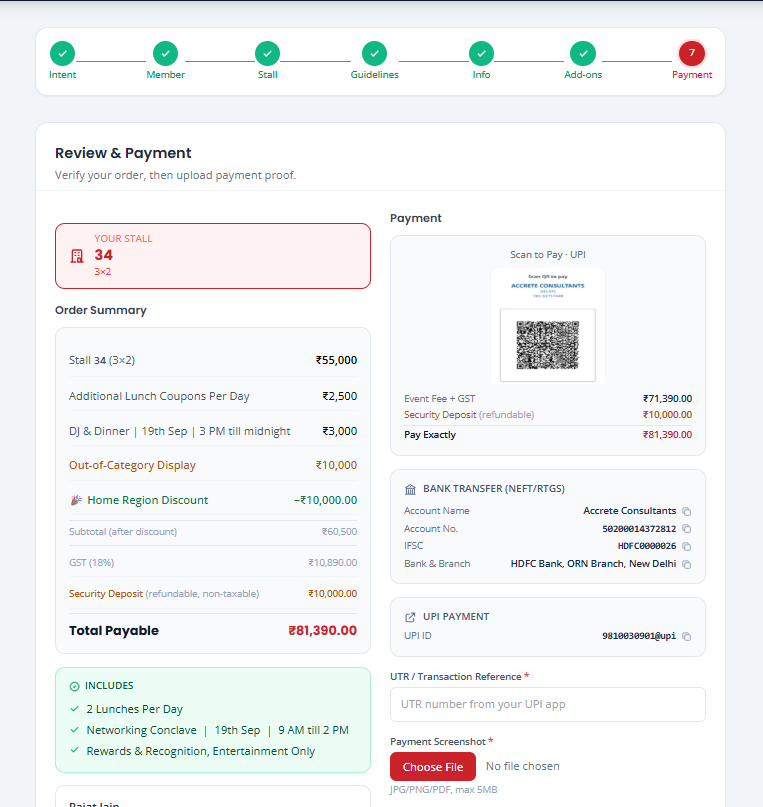
- 1 Transfer the exact total shown via UPI, NEFT, or RTGS to the bank details on screen
- 2 Enter the UTR / Transaction Reference Number from your UPI app or bank
- 3 Upload a payment screenshot (JPG / PNG / PDF, max 5MB)
- 4 Accept the Terms & Conditions
- 5 Click Submit Registration
After Submission
You will receive a confirmation email with your Registration Number (BNI-DS-2026-XXXXX). Your QR Code for event check-in will be emailed once payment is approved by the team.
Choose Registration Type
Open the registration link. Select Attend Event — "Visit the conference and network" — then click Continue.
Select Member Type
Choose whether you are a BNI Member or a Non-Member / Visitor.
- Yes, BNI Member — Member pricing applies
- No / Visitor — Non-member pricing applies. Guests are welcome.
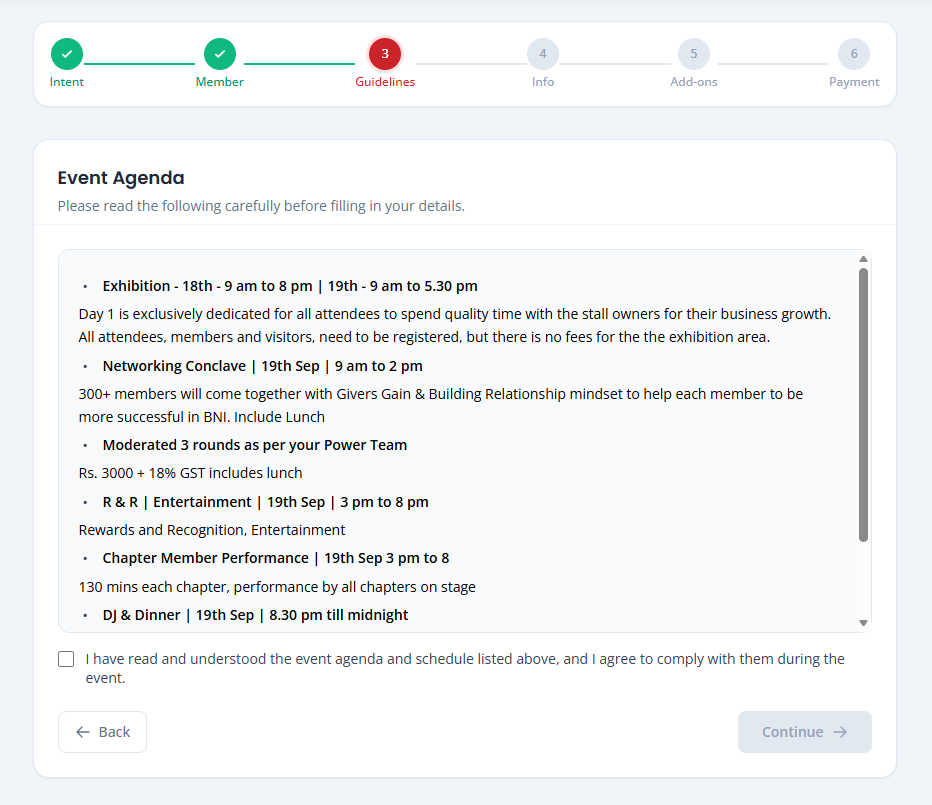
Read & Accept Guidelines
Read the attendee guidelines carefully. Tick the checkbox and click Continue.
Fill Your Details
Complete your personal details.
- Full Name
- Email Address & Mobile Number
- BNI Region / City
- BNI Chapter & Category (BNI Members only)
- Invited By (optional — name of the BNI member who invited you)
Add-ons & Sub-Events
Choose optional extras.
- Additional Lunch Coupons — ₹2,500 per lunch per day
- DJ & Dinner | 19th Sep — ₹3,000. Entertainment, DJ & Dinner.
Review & Payment
Review your order (attendee fee + add-ons + 18% GST) and make the payment.
- 1 Transfer the total amount via UPI, NEFT, or RTGS to the bank details on screen
- 2 Enter the UTR / Transaction Reference Number
- 3 Upload a payment screenshot (JPG / PNG / PDF, max 5MB)
- 4 Accept Terms & Conditions
- 5 Click Submit Registration
After Submission
You will receive a confirmation email with your Registration Number. Your QR Code for check-in will be emailed once payment is approved.
Frequently Asked Questions
Can I book more than one stall?
Yes, up to 2 stalls per registration. Both must be the same category (stall or table — cannot mix).
How long is my stall hold valid?
15 minutes from the time of selection. Complete your registration within this time or the hold will expire.
When will I receive my QR code?
After your payment is verified by the team (24–48 hours on working days). The QR code will be emailed to you.
Are prices inclusive of GST?
No. All stall prices shown on the map are EXCLUDING 18% GST. GST is added at the payment step.
What is the Security Deposit?
A refundable ₹10,000 deposit collected from stall bookers. Returned when you hand over the stall in the same condition.
Can I share a stall with another member?
Yes, only for 3m×2m or 3m×3m stalls. Both members must be from the same region.
What is Out-of-Category Display?
If you display products/services outside your BNI business category, an additional surcharge of ₹10,000 applies.
Can I get a refund?
Registrations are non-refundable and non-transferable. Cancellation by the organiser is the only exception.
Can I pay in instalments?
No. Full payment is required at the time of registration.